
GOOGLE DEEPMIND’S GEMINI 2.5 “COMPUTER USE” MODEL EXPLAINED: HOW AI CAN NOW CONTROL YOUR BROWSER LIKE A HUMAN
 M N Ansaf Hussain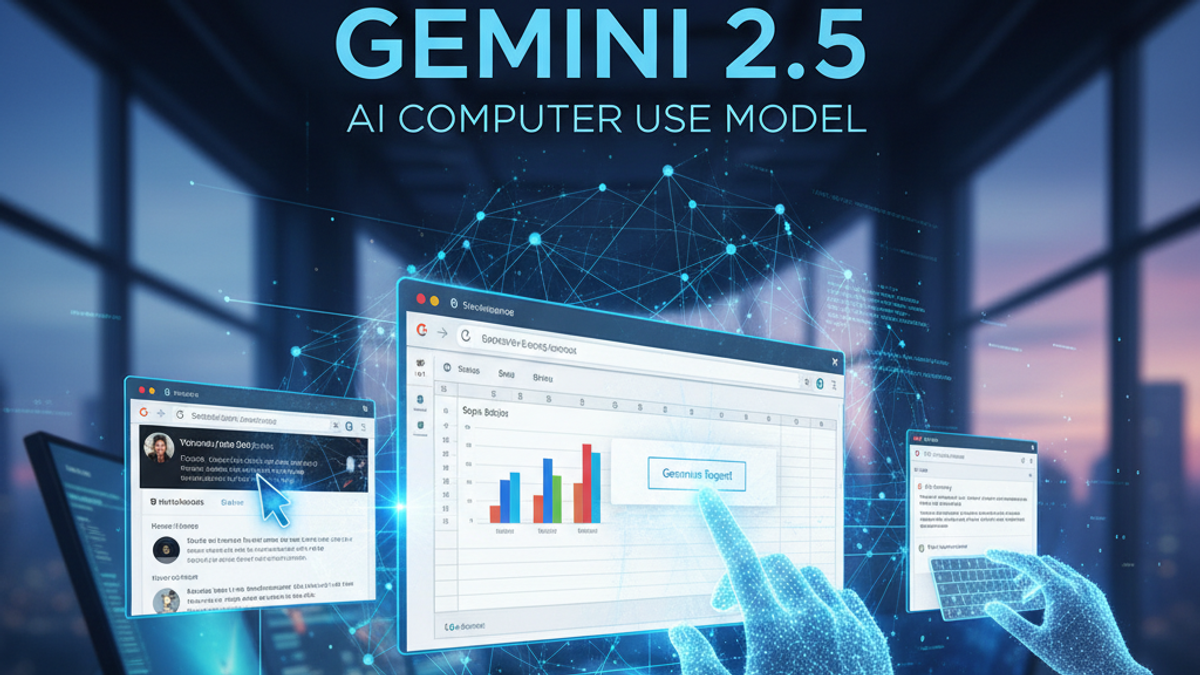
1. INTRODUCTION
2. WHAT EXACTLY IS THE GEMINI 2.5 COMPUTER USE MODEL?
3. HOW THE MODEL WORKS — STEP BY STEP
4. WHY THIS MODEL IS DIFFERENT (THE BROWSER FOCUS)
5. SAFETY AND CONTROL FIRST
6. REAL-WORLD EXAMPLE
7. WHY IT MATTERS
8. CONCLUSION
9. KEY TAKEAWAY
🌐 INTRODUCTION
Google DeepMind has unveiled an exciting new advancement in artificial intelligence—the Gemini 2.5 Computer Use Model. Unlike traditional AI systems that simply respond to text or voice commands, this specialized model can actively interact with websites and web applications, performing tasks by controlling the web browser interface just like a human user would. This marks a major leap forward in AI automation, blending the powerful reasoning and visual understanding of Gemini 2.5 Pro with safe, precise action execution within digital environments.
WHAT EXACTLY IS THE GEMINI 2.5 COMPUTER USE MODEL?
In simple terms, it’s an AI model primarily optimized to see your browser screen, understand the user interface (UI), and perform tasks on it.
Imagine telling an assistant:
“Go to Google Sheets and make a bar chart of last month’s sales data on the second tab.”
The Gemini 2.5 Computer Use Model can:
- Recognize what’s on the screen (the website layout).
- Understand where the correct buttons, links, and forms are.
- Click, type, scroll, and interact—precisely navigating complex web applications.
Essentially, it’s like having a virtual coworker who knows how to efficiently use your favorite web tools and online platforms.
HOW THE MODEL WORKS — STEP BY STEP
The Gemini 2.5 Computer Use Model combines vision, language understanding, and tool control in a continuous agentic loop. Here’s a simplified version of how it works behind the scenes:
- You give an instruction—e.g., “Schedule a meeting for 3 PM tomorrow on Google Calendar.”
- The model receives a screenshot or UI view of the open web browser.
- It uses Gemini 2.5 Pro as its advanced reasoning engine to interpret the visual layout and plan the next steps.
- It decides what action to take next—for example, using one of its supported actions to navigate to the correct calendar URL.
- It performs the action step-by-step, receiving a new screenshot after each action, until your request is complete.
This is made possible by training the model on real and simulated examples of web interactions, allowing it to perform actions like typing text, clicking coordinates, using keyboard shortcuts, and dragging and dropping elements.
WHY THIS MODEL IS DIFFERENT (THE BROWSER FOCUS)
Unlike older assistants that only understood text or voice, this model is multimodal and, crucially, optimized for browser control.
This specific optimization allows it to:
- Navigate complex websites or web apps visually.
- Recognize menus, buttons, and forms within a browser window.
- Type or click accurately in the right places, even when elements are nested.
- Crucially, this specialization delivers state-of-the-art performance in web automation benchmarks, outperforming competitors in accuracy and latency for tasks like form filling and data extraction.
While the model has not yet been optimized for general desktop operating system (OS) control, its highly effective browser-first approach allows it to handle the vast majority of digital workflows that occur on the web.
SAFETY AND CONTROL FIRST
Allowing an AI to perform actions naturally raises safety concerns. Google designed this model with multiple protective layers:
- Built-in Safety Filters: Prevents the AI from taking risky or unauthorized actions.
- User Confirmation Prompts: For sensitive actions (e.g., clicking an “Accept Payment” button), the model asks for user confirmation before proceeding.
- Restricted Environment: The model is currently offered to developers via the Gemini API, ensuring agents are deployed within controlled setups, with the user remaining in full control at all times.
REAL-WORLD EXAMPLE
Let’s say you’re a digital marketer or content creator. You could instruct the AI to:
“Summarize the latest YouTube video, create a draft in Google Docs, and send it to my editor via Gmail.”
Here’s what happens (all within the web browser):
- It navigates to YouTube, analyzes the video transcript on the web page.
- Opens Google Docs in a new browser tab and drafts the summary.
- Opens Gmail and emails the document to your editor—all through automated browser interactions.
That’s the power of the Gemini 2.5 Computer Use Model—turning natural language instructions into complex, completed, browser-based tasks.
WHY IT MATTERS
The potential use cases for web automation are huge:
- Automating repetitive digital tasks like data entry and form filling.
- Testing software interfaces (UI testing) with human-like variability.
- Managing complex, multi-step online workflows for businesses and teams.
- Assisting people with limited mobility in navigating the web.
It’s a step toward a world where AI doesn’t just think—it actively controls the browser to act, safely and intelligently.
CONCLUSION
The Gemini 2.5 Computer Use Model shows the future of AI isn’t just conversation—it’s specialized browser-level collaboration. By combining reasoning, visual comprehension, and safety-driven interaction, Google DeepMind is paving the way for smarter, action-oriented AI systems.
While its power is currently focused on the web browser, this capability hints at a near future where your AI agent can efficiently handle complex digital tasks with precision and care, creating massive efficiencies in online workflows.
📌 KEY TAKEAWAY
“Gemini 2.5 Computer Use Model bridges the gap between thinking and doing within the most essential digital environment—the web browser—turning AI from a passive tool into an active, web-enabled digital partner.”